Uploaded on 2024 Feb. 12th
Revised on 2024 Feb. 13th
This is the first part of a series of articles where we'll be taking a look at Google Forms and create a survey from the ground up using it. We'll be doing this because I'm curious about Google Forms on its own and compared to the tools used at my job, and because I've noticed a few errors made by students who were using Google Forms to gather data for their theses. Whoever you are though, I hope what you read here will help you :).
Reason for revision: initially I really got into this but got trapped in the mindset that this is another project at work. Since I want this to be helpful for students, professors, and other busybodies who just want an easy way to collect data, I revised a couple of sections.
A couple of disclaimers:
- this is my first time using Google Forms
- I haven't learned how to structure questionnaires or even what questions to use depending on the questionnaire's purpose. I may look into that in the future, but my advice here is based only on intuition and two years of experience
So let's get into it - the subject of this questionnaire? Cat clothes.
part 1 - the screener / screening section
I just created a blank Form, created the first question, and here's the first thing:
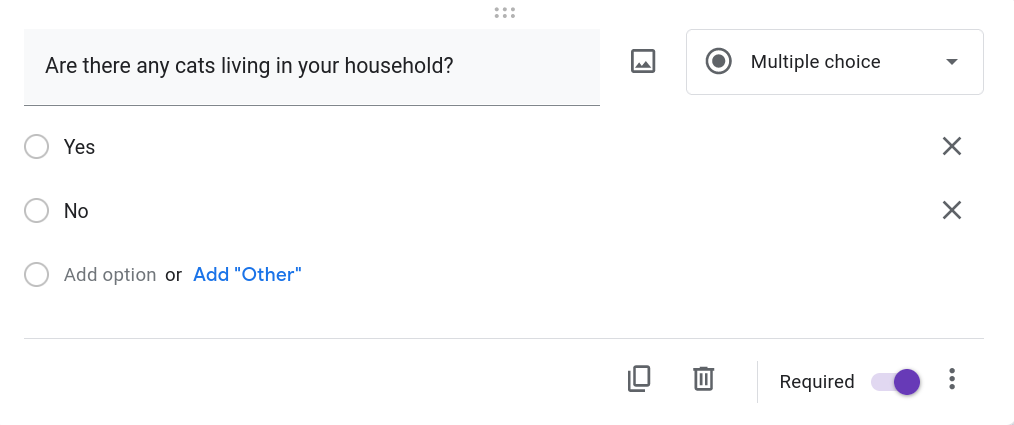
It's a minor matter of terminology, but this is a Radio question - you can only choose one answer. The question type in the top-right has the correct icon, but the question type is a bit weird. Yes, you have multiple choices that you can choose from, but so do some of the other types: "Checkboxes", "Dropdown", even the "Grid" style questions depending on what you mean by "Multiple Choice".
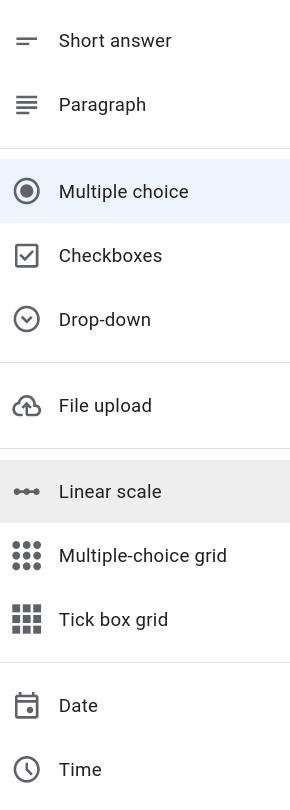
Radio questions are known as "Single Choice questions" in general, for obvious reasons, whereas Checkbox questions are known as "Multiple Choice questions". It's a bit confusing when you look at it this way, even if Google may have good reasons[1] for specifically calling it a "Checkbox" question.
you may notice that I haven't mentioned the "Dropdown" type, despite the fact that it's also a "Single Choice question" based on the above criteria. That's because it ultimately serves the same purpose, but in a slightly different scenario. It's usually used to choose an answer from a long list of sorted answers. A good use for it may be to get the respondent's region using a list of sorted counties, cities, etc. as the answers.
So we've created the first question. Depending on your circumstances, this might be the only question you need for your Screener section. That is, the section where we check if the respondent is eligible to complete our questionnaire. We can expand on it if depending on our wants and needs - there's standard (boring) stuff like demographic questions:
- gender
- age
- ethnicity
- whether they live in an urban, suburban, rural area
- whether they live with their parents, alone, or a partner
- occupation (we usually include "Student" in this category)
- income
- etc.
Maybe demographic data is important to your research, but those questions are relatively easy to formulate. What I would like to concentrate on, though, are questions that can get us the most data possible. Maybe we do only want people who own cats, since they are the target audience for cat clothes. But maybe that's too strict of a requirement. Consider the below questions:
- Do they want to get a cat in the near future?
- Did they used to have a cat?
- If they have a cat, are they the primary caretaker or do they have a say in subjects regarding the cat?
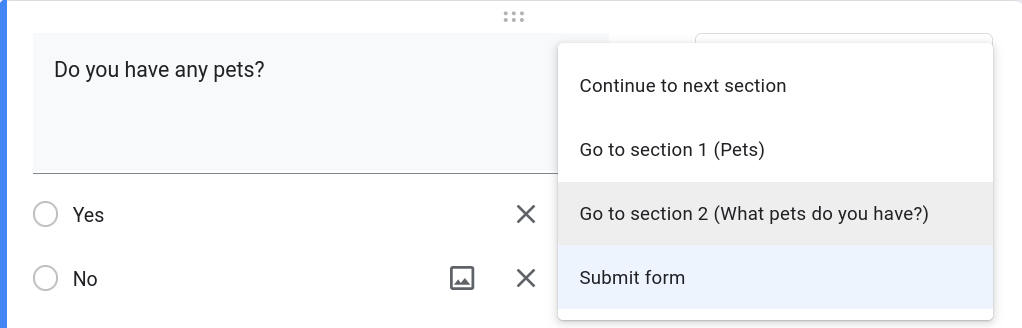
If you have completed questionnaires before, you may have finished it faster than expected, and thought that the last question didn't feel like the end of the questionnaire. That may have been a case where you were screened out, i.e. you weren't part of the target audience for that survey. As I said previously, we want to avoid that unless we're 100% sure that the respondent has no valuable data for us. For this, we can use the "Go to section based on answer" option for the Radio question type. We can use this option and the above questions for non-cat owners to gather more data.
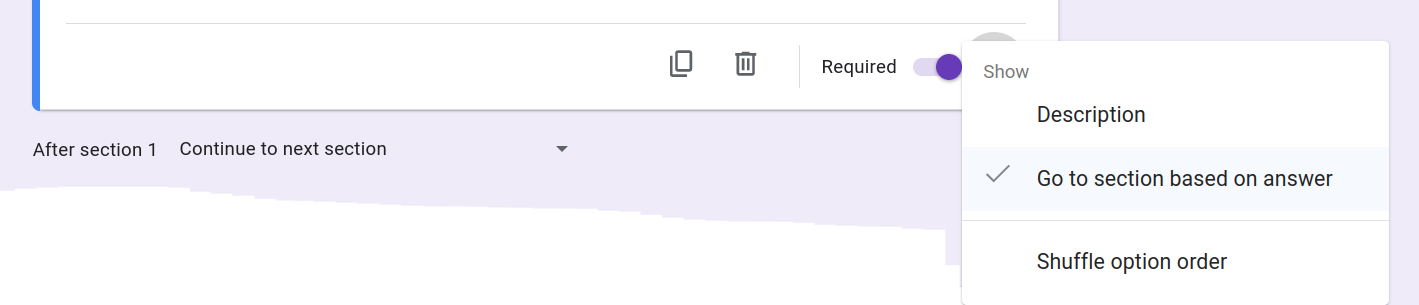
Before we create our Screener section, there's one other thing to mention: if you want to be sure that you're gathering all the data possible then I suggest that you make every question "Required" by default. To do this go to "Settings" and scroll down to the "Question Defaults" and set the relevant (and at the moment only) setting to on. There is some wiggle room here - if a question really isn't necessary and later questions don't depend on it then it doesn't have to be "Required".
I'm used to surveys where each question is on a different screen / section (and I also like this style). It's largely down to personal preference on Google Forms, but I recommend that you go through your questionnaire a few times and see if some sections seem too short or too long.
Knowing all of that, let's create our Screener section.
You will find the link to the survey as it is at the bottom of this page. Since Google Forms is a bit inflexible (and lacking in a few aspects - why is there no "exclusive" Checkbox answer?) the survey won't be as pretty as it could be. At the end you will find a non-mandatory question where you can provide feedback. :)